
Windows2026年1月4日by admin👁️ 3171
通过GCP申请claude模型并加入自己的中转站
前期准备
注册账号
启用Vertex AI API
在你的项目中启用Vertex AI API
https://console.cloud.google.com/vertex-ai?referrer=search&project=你刚刚注册的项目ID
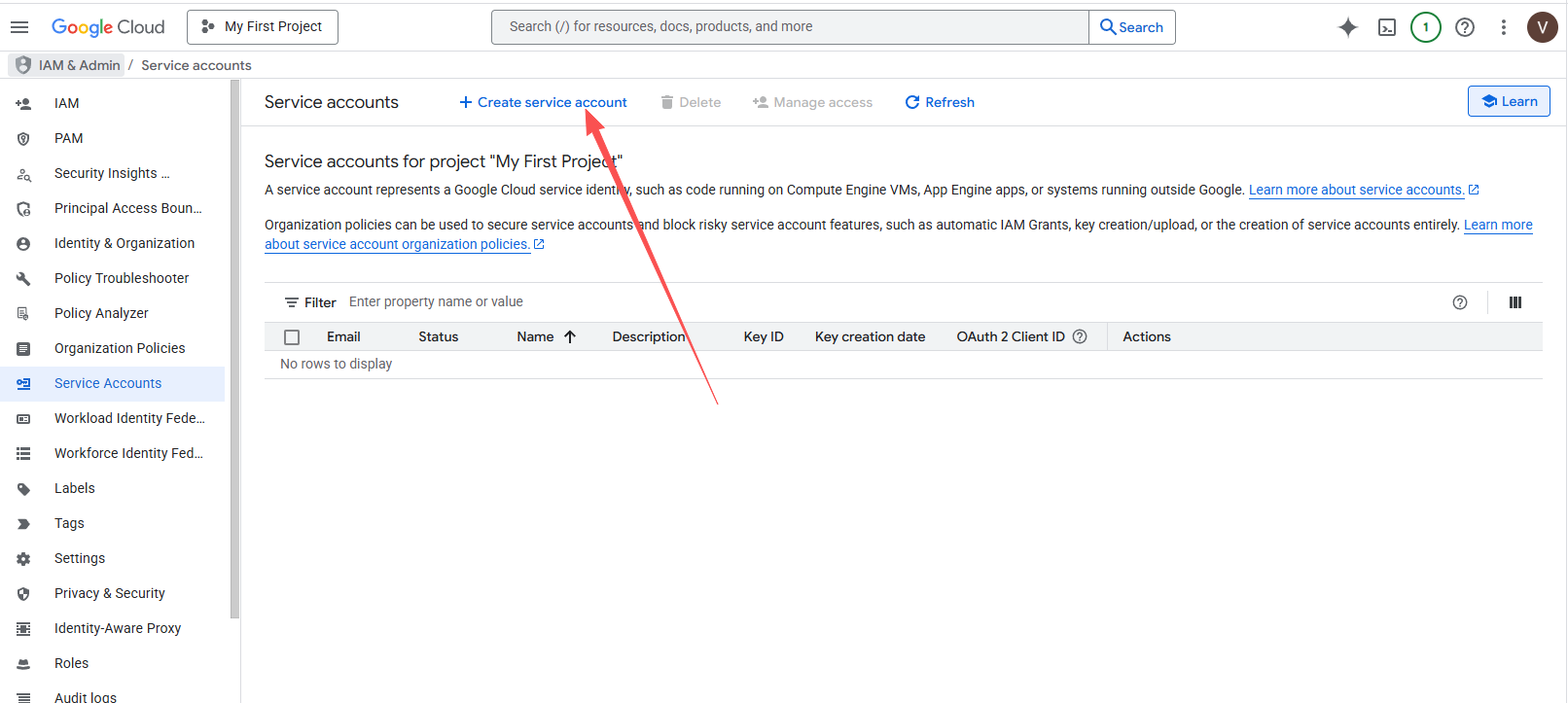
创建服务凭证 打开此页面。选择你的项目,然后点击“创建服务帐号”。
https://console.cloud.google.com/iam-admin/serviceaccounts
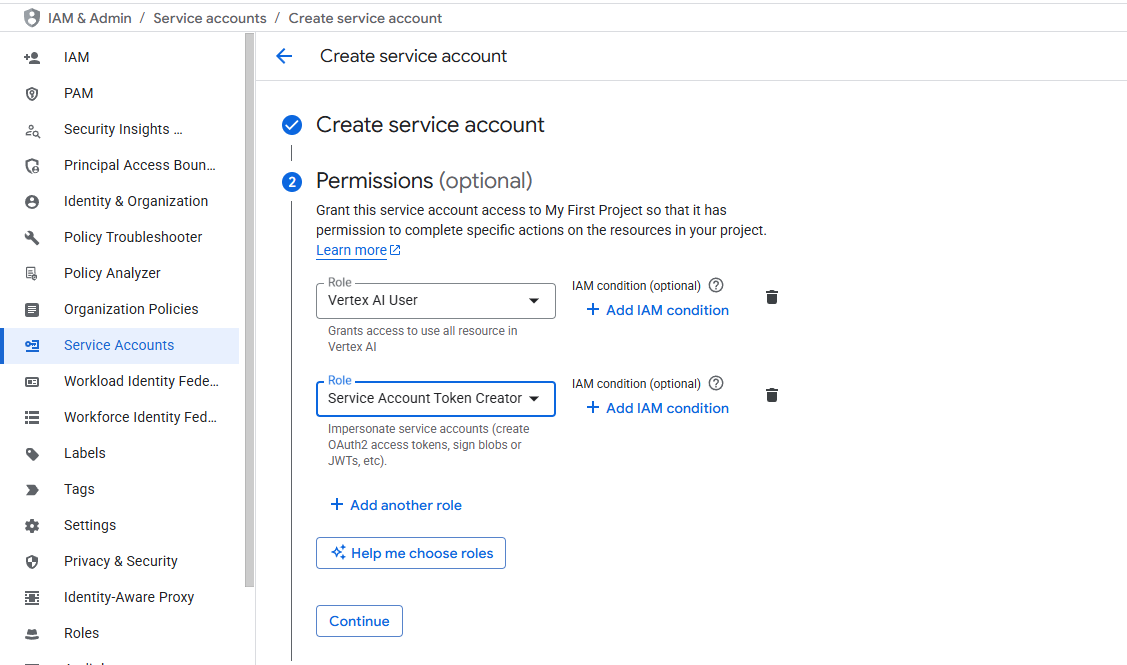
选择角色, 请在上面的过滤器中输入Vertex AI User 和 Service Account Token Creator,然后选择这两个角色。
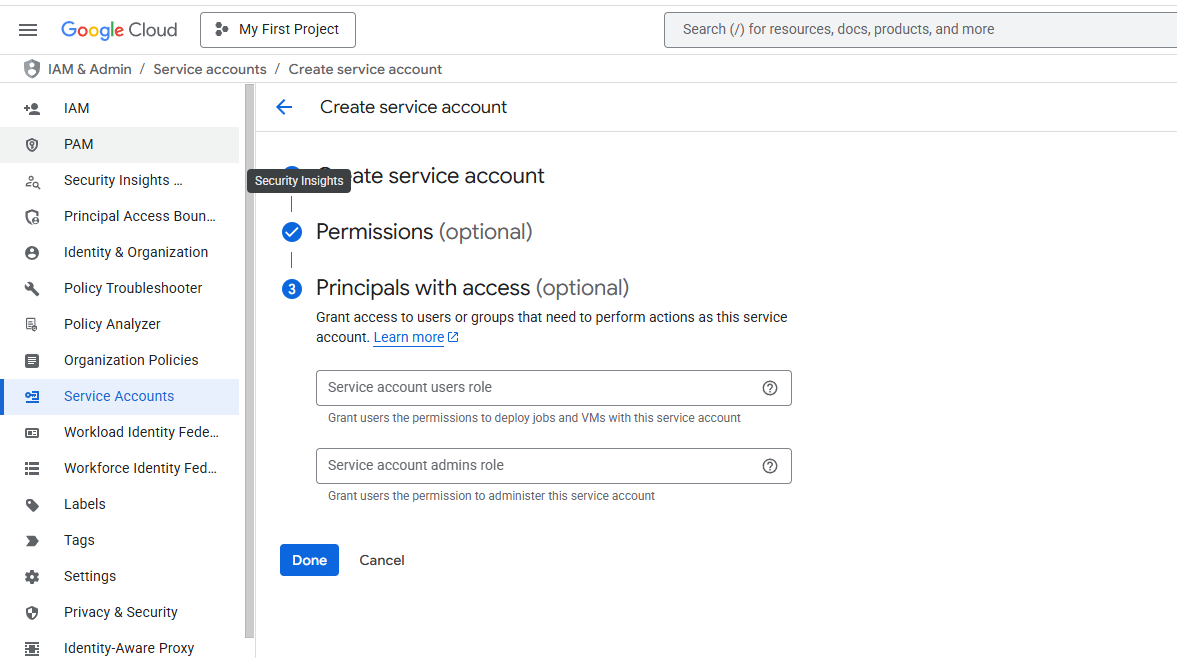
点击“继续”,然后点击“完成”。
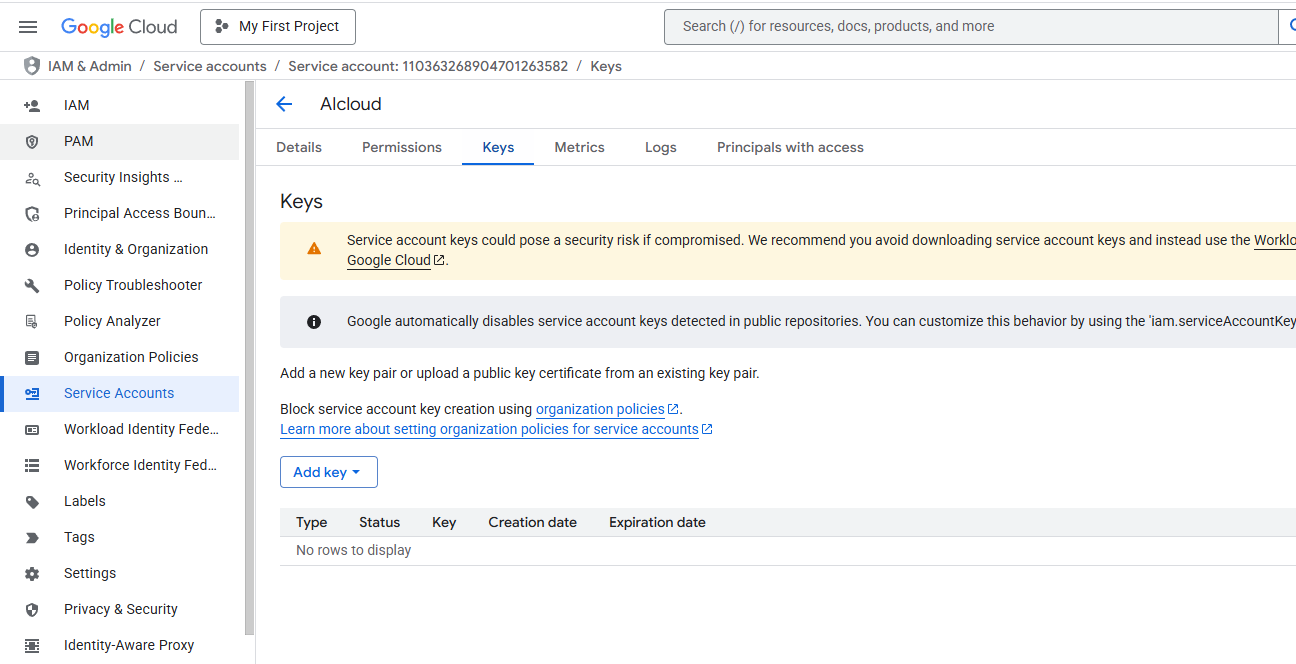
点击刚才创建的服务账号,然后点击“密钥”,选择“创建新密钥”,然后选择“JSON”,然后点击“创建”。
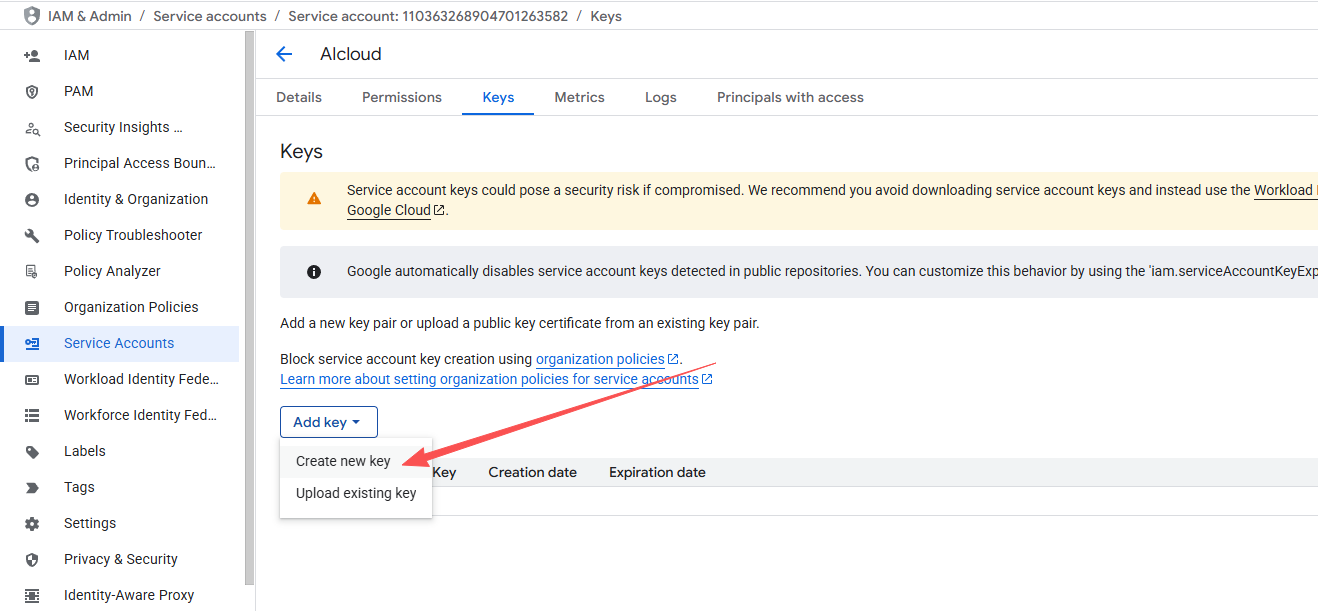
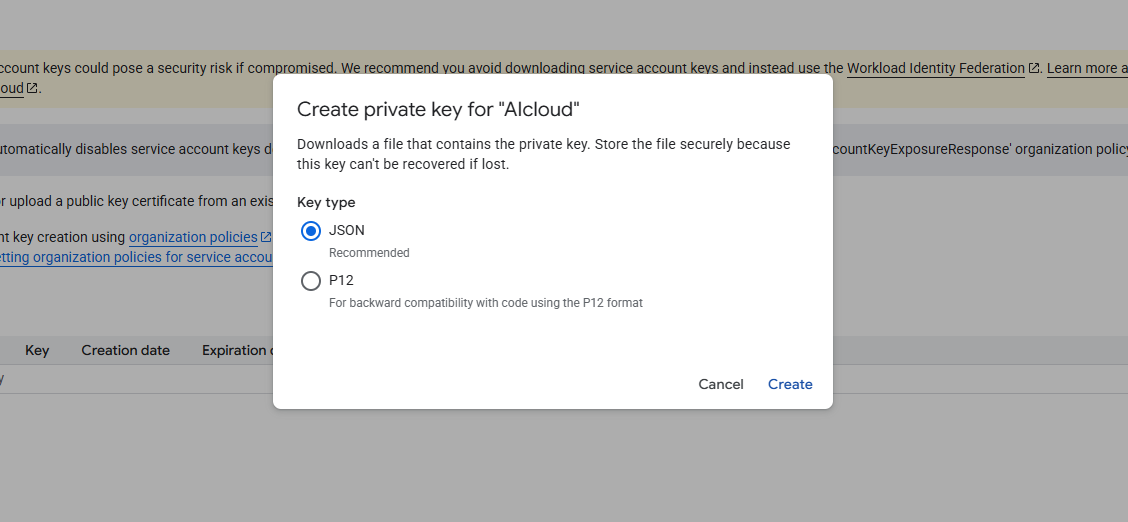
创建成功后,下载 JSON 文件,在本地打开 JSON 文件,将里面所有的内容复制到渠道的Key中。(渠道类型是VertexAI)
最后在这里,一定要启用IAM Service Account Credentials API。
https://console.cloud.google.com/apis/library/iamcredentials.googleapis.com
测试一下,成功
一些常用地区和模型:
地区设置:
{
  "default": "us-central1",
  "gemini-2.0-flash-lite-001": "global",
  "gemini-2.5-flash-lite": "global",
  "gemini-2.5-pro": "global",
  "gemini-2.5-flash": "global",
  "gemini-2.0-flash-001": "global",
  "claude-opus-4@20250514": "global",
  "gemini-1.5-pro-002": "global"
}